

If you've ever found a funny TikTok, a cooking recipe, or an inspiring travel video, you've probably wanted to save it to your iPhone so you could watch it later.
Unfortunately, downloading TikTok videos isn't always straightforward. Some videos can't be downloaded directly, while others include the TikTok watermark that many people would rather avoid.
The good news is that there are several ways to save TikTok videos on an iPhone. In this guide, we'll explain the different methods, when they work, and how you can download high-quality videos without installing another app.

Can You Save TikTok Videos on iPhone?
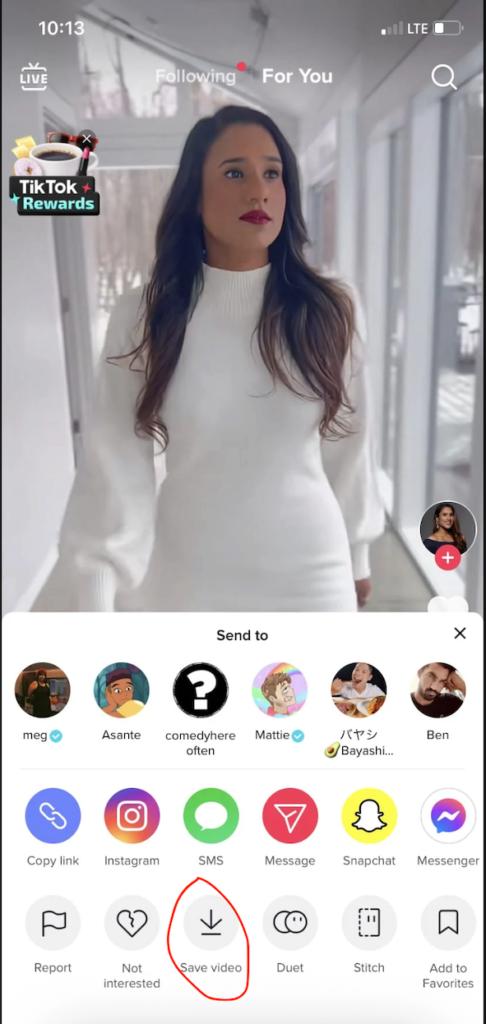
TikTok includes a built-in Save Video option for many public videos. When the creator allows downloads, you can save the video directly into your Photos app with just a few taps.
However, not every creator enables downloads.
When the Save Video button isn't available, you'll need another method to download the video.
That's where online downloaders like SaveTikVideo become useful because they let you save public TikTok videos without installing extra software.
Method 1: Save Videos Using the TikTok App
If the creator has enabled downloads, follow these steps:
-
- Open TikTok.
- Find the video you want.
- Tap the Share button.
- Select Save Video.
- Wait for the download to finish.
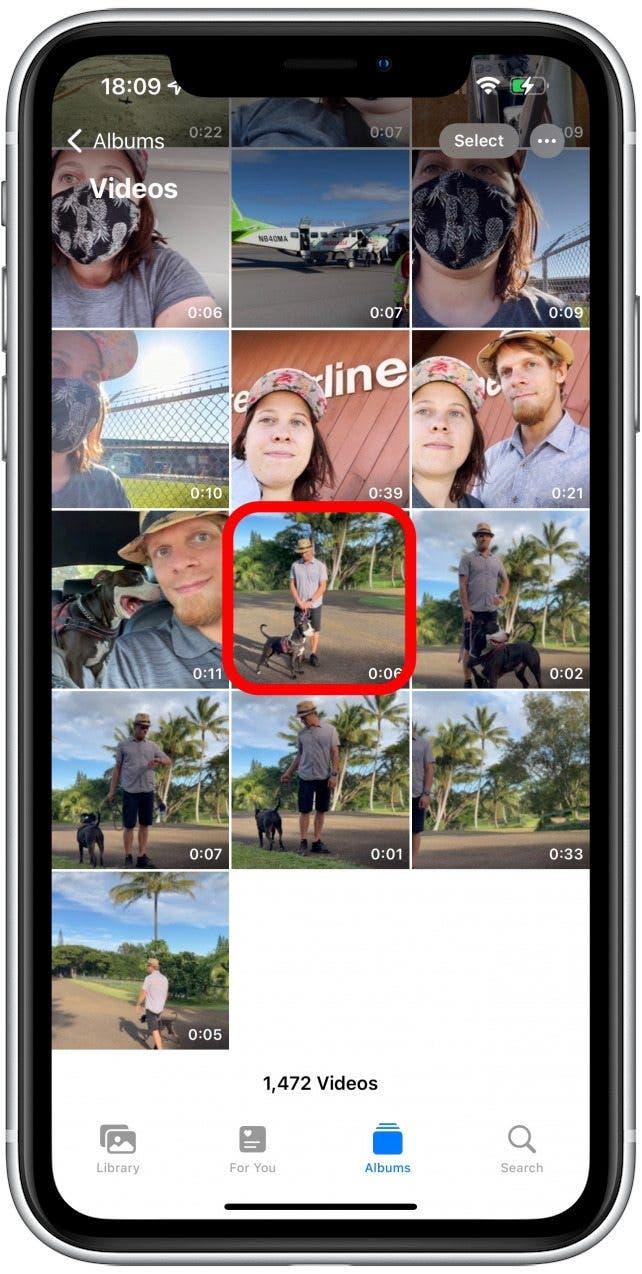
- Open the Photos app.
Your video is now saved to your iPhone.
Pros
-
- Fast
- No extra website
- Official method
Cons
-
- Doesn't work for every video
- Includes TikTok watermark
- Creator must allow downloads
Method 2: Download Without Watermark
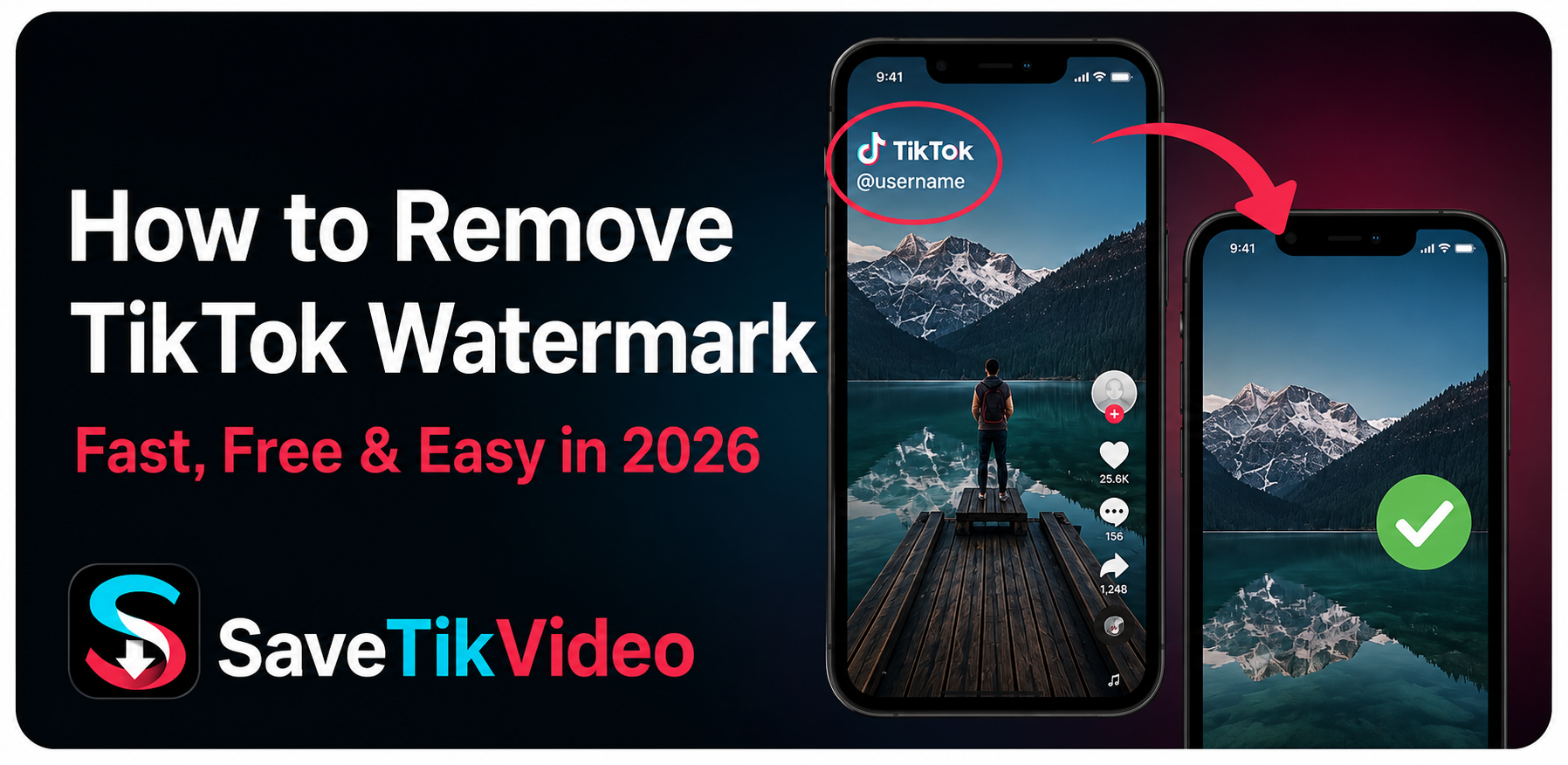
If the Save Video button isn't available or you don't want the watermark, you can use an online downloader like SaveTikVideo.
Here's how:
-
- Open TikTok.
- Tap Share.
- Tap Copy Link.
- Open SaveTikVideo in Safari.
- Paste the link.
- Tap Download.
- Choose Without Watermark.
- Save the video to your iPhone.
The process usually takes only a few seconds.

Do I Need to Install an App?
No.
One advantage of using SaveTikVideo is that everything works directly in your browser.
That means:
-
- No App Store download
- No account creation
- No software updates
- Works from Safari
- Compatible with most modern iPhones
Many users prefer browser-based downloaders because they're quick and don't take up storage space.
Where Are Downloaded Videos Stored?
Most downloaded TikTok videos are saved to the Photos app.
If Safari asks for permission to download files, simply allow it and choose to save the video.
You can then edit, share, or watch it offline whenever you want.
Can I Download HD TikTok Videos?
Yes, provided the original video was uploaded in high quality.
SaveTikVideo supports downloading videos in their highest available resolution whenever possible.
Keep in mind that if the original upload was compressed or low resolution, no downloader can improve its quality.
Is It Safe to Use Online TikTok Downloaders?
Reputable downloaders don't require you to install apps or log in to your TikTok account.
When choosing a downloader, look for one that:
-
- Uses HTTPS
- Doesn't ask for your TikTok password
- Doesn't require software installation
- Doesn't fill the page with misleading download buttons
SaveTikVideo is designed to keep the process simple by allowing you to paste a TikTok link and download the video in just a few clicks.
Why Isn't My TikTok Video Downloading?
There are several possible reasons:
-
- The TikTok link is incorrect.
- The video has been deleted.
- The creator made the video private.
- TikTok is experiencing temporary issues.
- Your internet connection is unstable.
Copying the link again usually solves the problem.
Tips for Saving TikTok Videos on iPhone
For the best experience:
-
- Use Safari for smoother downloads.
- Keep iOS updated.
- Make sure you have enough storage space.
- Copy the full TikTok link.
- Download videos over Wi-Fi if they're large.
Frequently Asked Questions
Can I save TikTok videos on iPhone for free?
Yes. Both TikTok's built-in download feature and SaveTikVideo are free to use.
Why can't I see the Save Video button?
The creator has likely disabled downloads for that video.
Can I download videos without the TikTok watermark?
Yes. Online downloaders such as SaveTikVideo can provide versions without the watermark when available.
Do I need an account?
No. You don't need to sign up or log in to save public TikTok videos using SaveTikVideo.
Will downloaded videos appear in Photos?
Yes. Once saved, they're accessible from your Photos library.
Conclusion
Saving TikTok videos on an iPhone is easier than many people think. If the creator allows downloads, you can use TikTok's built-in Save Video feature. When that isn't available or you'd rather avoid the watermark, an online downloader like SaveTikVideo offers a quick alternative that works directly in your browser.
Whether you're saving tutorials, recipes, travel clips, or entertaining videos, having them available offline means you can watch them anytime even without an internet connection.

Leave a Comment