
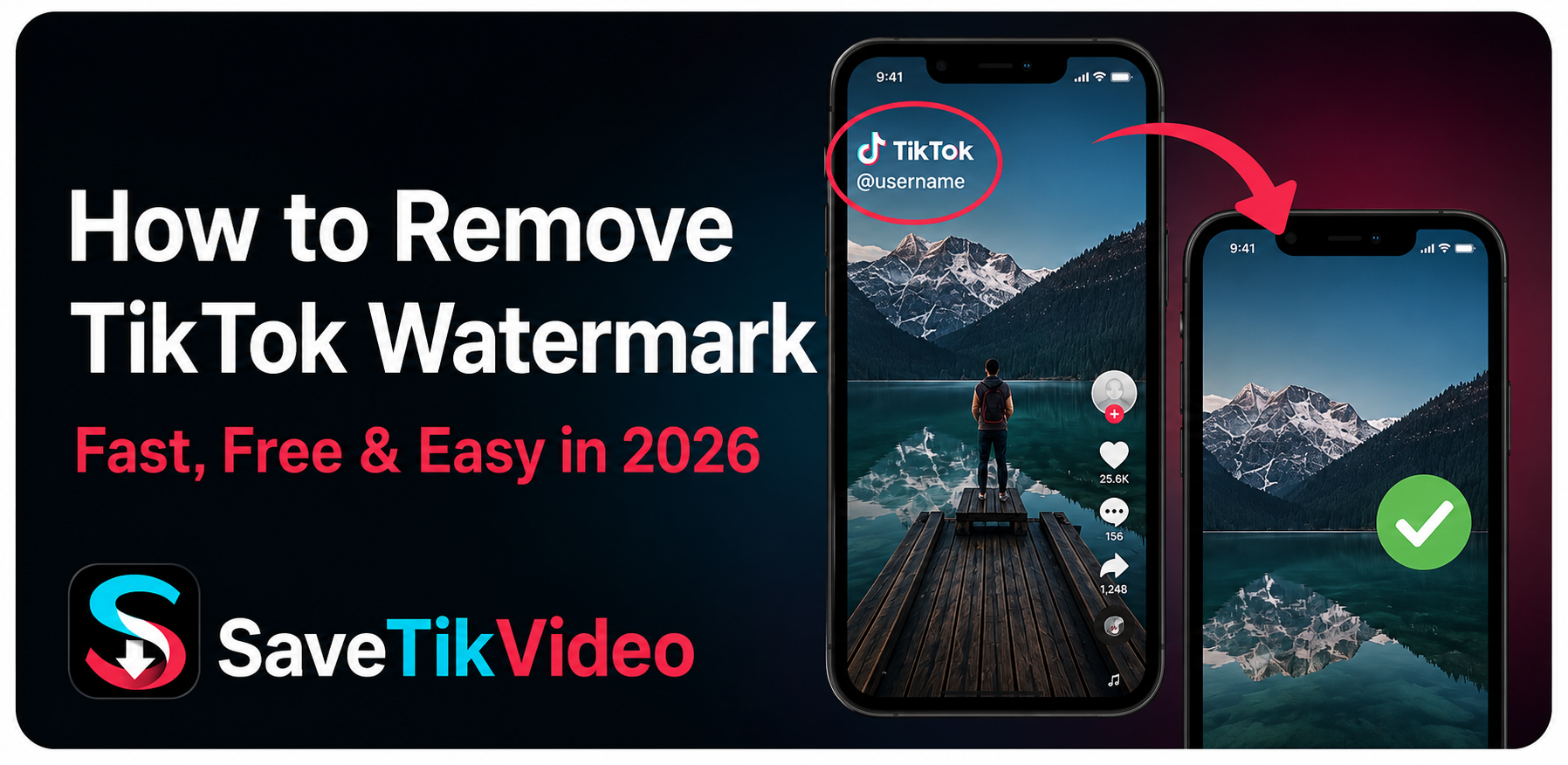
If you have permission to save and reuse a video, there are simple ways to download it without the watermark. In this guide, I'll show you how to remove the TikTok watermark using SaveTikVideo, without installing another app on your phone or computer.
What Is the TikTok Watermark?
TikTok adds a watermark to videos downloaded through its platform. The watermark normally includes the TikTok logo and the username of the account that posted the video.
You may notice that the watermark doesn't always stay in the same place. It can move between different areas of the video while you're watching it.
This is useful for keeping the original creator connected to the content, but it can be distracting if you're saving a video for a presentation, personal archive, or another permitted use.
Why Remove the TikTok Watermark?
There are several reasons someone might want a clean copy of a TikTok video.
For example, you may want to keep a video in your personal collection, use a clip in a project where you have permission, or simply watch the video without the watermark covering part of the screen.
A watermark-free copy can also look cleaner when you're working with your own content.
However, removing a watermark does not give you ownership of the video. If someone else created the video, you should have permission before reposting, editing, or using it for commercial purposes.
How to Remove TikTok Watermark
The easiest option is to download the video again using an online TikTok downloader that provides a no-watermark download.
With SaveTikVideo, you don't need to install an application. You can do everything from your browser.
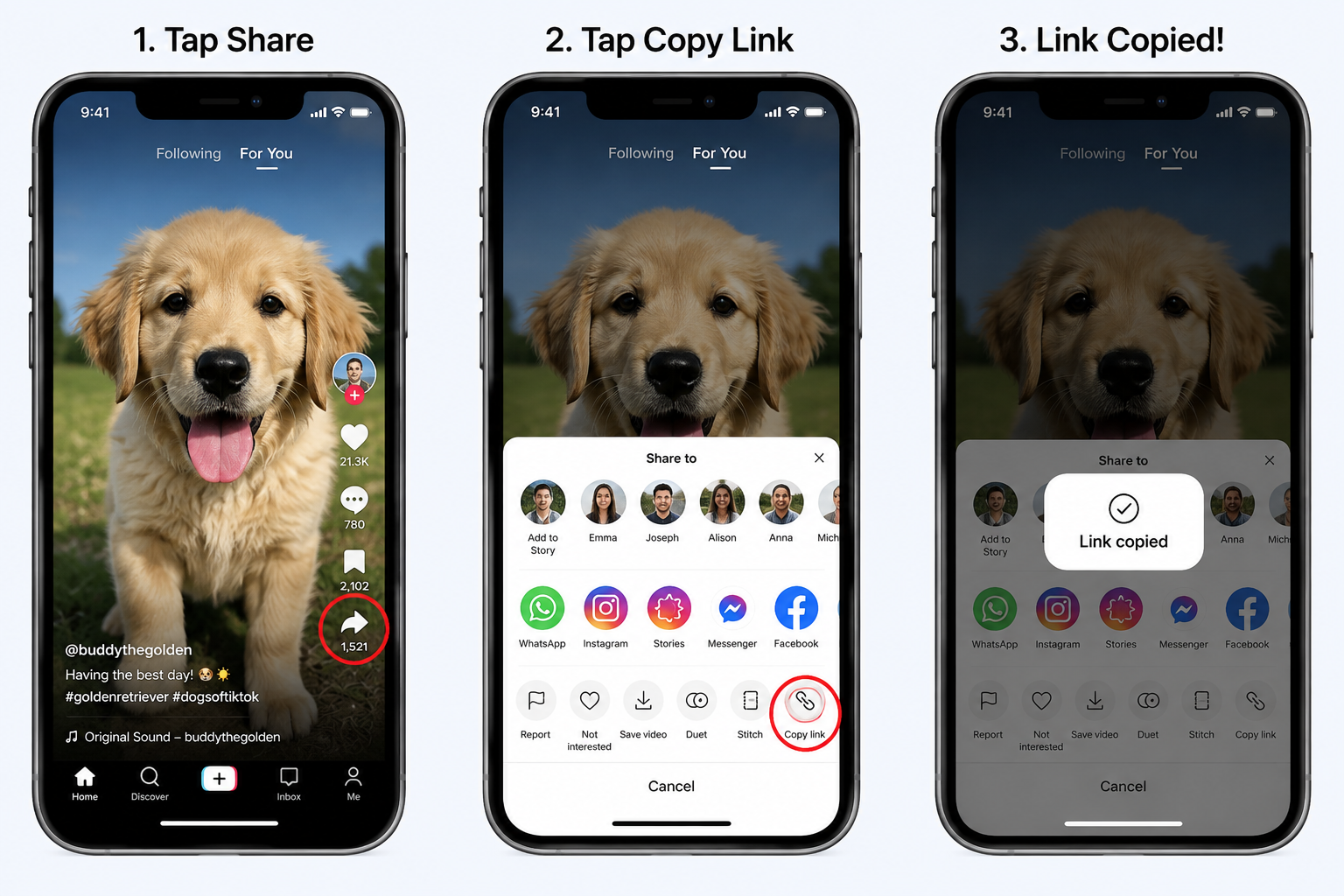
Step 1: Copy the TikTok Video Link
First, open TikTok and find the video you want to save.
Tap the Share button and select Copy Link.
The link will be copied to your phone's clipboard, so you can paste it into the downloader in the next step.
Step 2: Open SaveTikVideo
Once you've copied the link, open SaveTikVideo in your browser.
You can use it on your phone, tablet, Windows computer, or Mac. There's no separate downloader application that you need to install.
Step 3: Paste the TikTok Link
Paste the TikTok link into the download box on SaveTikVideo.
Check that the link is complete, then select the download button.
SaveTikVideo will process the link and prepare the available video download options.

Step 4: Download the Video Without the Watermark
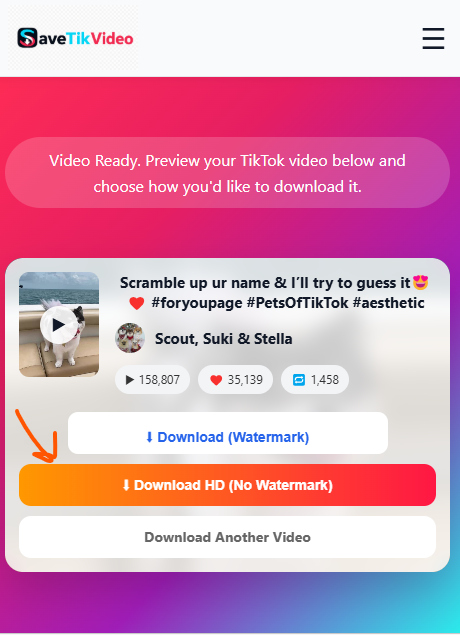
Once the video is ready, choose the No Watermark download option if it is available.
Your browser will then download the video to your device.
On a phone, the exact location can depend on your browser and device settings. On a computer, the file will normally appear in your Downloads folder unless you've selected another location.
Can I Remove a TikTok Watermark From a Video I Already Downloaded?
It depends on what you mean by "remove."
If you already have a video with the watermark permanently visible in the video file, removing it is more complicated. You would generally need a video editing tool that can crop, cover, blur, or otherwise alter the area containing the watermark.
If you simply want a clean copy of the original TikTok video, downloading the video again through a no-watermark downloader is usually the better option. Which is where SaveTikVideo comes in.
That way, you don't have to crop the video or reduce its quality just to hide the watermark.
Does Removing the Watermark Reduce Video Quality?
Download quality depends on the original video and the version made available by the downloader.
If the original TikTok video was uploaded in high quality, you may be able to download a high-quality version of it. However, removing the watermark does not magically increase the resolution of a low-quality video.
In other words, a 720p video won't become a true 1080p video simply because the watermark isn't there.
Where Is the Downloaded TikTok Video Saved?
After downloading the video, you'll normally find it in your device's usual download location.
On an iPhone or iPad, your browser may save the file to the Downloads folder in the Files app. Depending on how you save the video, you can also move it into Photos.
On Android, downloaded files are commonly available through the Downloads folder or your device's file manager.
On Windows and Mac, check your browser's Downloads folder.
Can I Remove the TikTok Watermark on iPhone?
Yes. You don't need a Windows computer to download a TikTok video without a watermark.
Open TikTok on your iPhone, copy the video link, open SaveTikVideo in Safari or another browser, and paste the link into the downloader.
After processing the link, select the available no-watermark download option.
The downloaded file can then be accessed from your iPhone's Downloads folder.
Can I Remove the TikTok Watermark on Android?
Android users can follow essentially the same process.
Copy the TikTok video link, open SaveTikVideo in your browser, paste the link, and start the download.
Once the download finishes, check your Downloads folder or file manager to find the video.
Can I Remove the TikTok Watermark on a Computer?
Yes. The same browser-based method works on Windows and Mac.
Open TikTok in your browser, copy the URL of the video, then open SaveTikVideo in another tab.
Paste the URL, process the video, and download the available no-watermark version.
This can be particularly convenient if you're already working on a computer and don't want to transfer the TikTok link to your phone.
Is It Legal to Remove a TikTok Watermark?
Removing a watermark and having permission to use a video are two different things.
A watermark does not determine who owns the underlying video. If another person created the content, they may still own the copyright even if you can download a clean copy.
If you're planning to repost, edit, publish, or use someone else's TikTok video commercially, make sure you have the necessary permission or rights to do so.
For your own videos, removing the watermark from a copy for your own use is generally much less complicated.
This section is important for your site because it makes the article more responsible and avoids presenting watermark removal as permission to reuse somebody else's content.
Tips for Getting the Best Download
A few simple things can make the process smoother:
Use the original TikTok link.
Copy the URL directly from the TikTok post instead of manually typing it.
Use a stable internet connection.
Large video files can take longer to download when your connection is slow.
Choose the highest available quality.
If multiple download options are available, choose the one that matches your needs.
Keep the original creator in mind.
A watermark-free video is still somebody's content if you didn't create it. Give credit and get permission when necessary.
Frequently Asked Questions
Can I remove a TikTok watermark for free?
Yes. You can use an online TikTok downloader such as SaveTikVideo to download supported videos without a watermark without installing additional software.
Do I need to install an app?
No. SaveTikVideo works through your web browser, so you can use it from a phone or computer without installing a separate application.
Can I remove the watermark from my own TikTok videos?
Yes. If you own the original video, downloading a clean copy is a convenient way to keep a version without the TikTok watermark.
Can I remove a watermark from someone else's video?
ou can download a supported video without the watermark, but that does not give you permission to republish or commercially use somebody else's content. Check the creator's rights and obtain permission when necessary.
Does removing the watermark improve video quality?
No. Removing the watermark doesn't increase the original resolution. The final quality depends on the source video and the available download version.
Can I do this on my phone?
Yes. The process works on both iPhone and Android devices through a web browser.
Conclusion
Removing a TikTok watermark doesn't have to be complicated. If you have the right to save and use the video, you can copy its TikTok link, paste it into SaveTikVideo, and download an available no-watermark version directly from your browser.
You don't need to install another app or use complicated video-editing software just to get a clean copy.
Have a TikTok video you want to save? Copy the link and try SaveTikVideo.


Leave a Comment